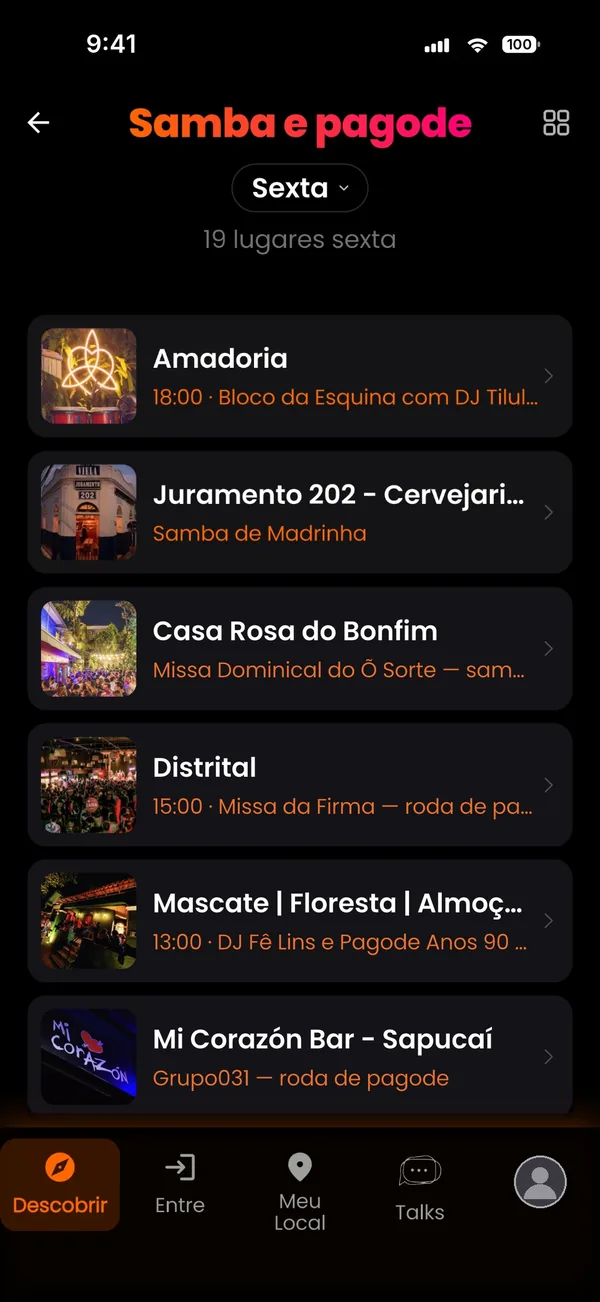
By music style
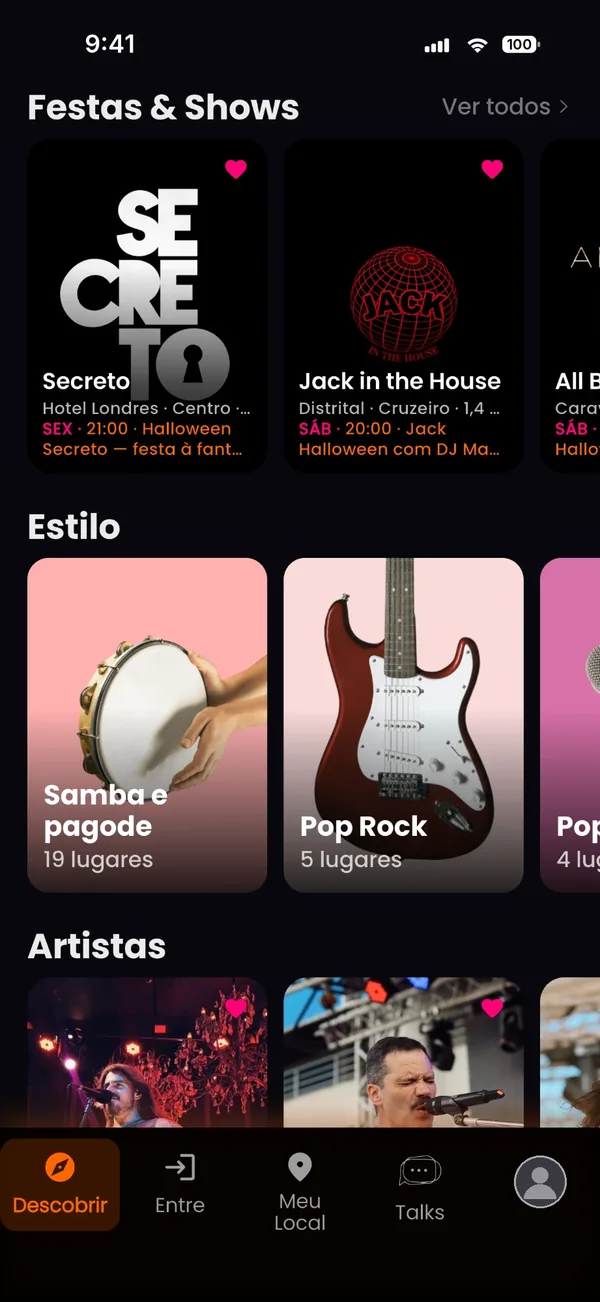
Samba, rock, sertanejo, electronic, jazz… Pick a style and see where it's playing.
And you, a new way to live your social life.
See what's on tonight at the city's bars, parties and shows. Got there? Check in through TalkCity, see who else is there and send a Talk.
Savassi · Lourdes · Funcionários · Santa Tereza · Centro · Pampulha
You know that party you love, but only found out it happened after seeing the photos?
Or that bar you go to, but never knew had live music every Wednesday?
The schedule was out there. But Instagram didn't show it, you didn't check the ticketing site, or you simply didn't know where to look.
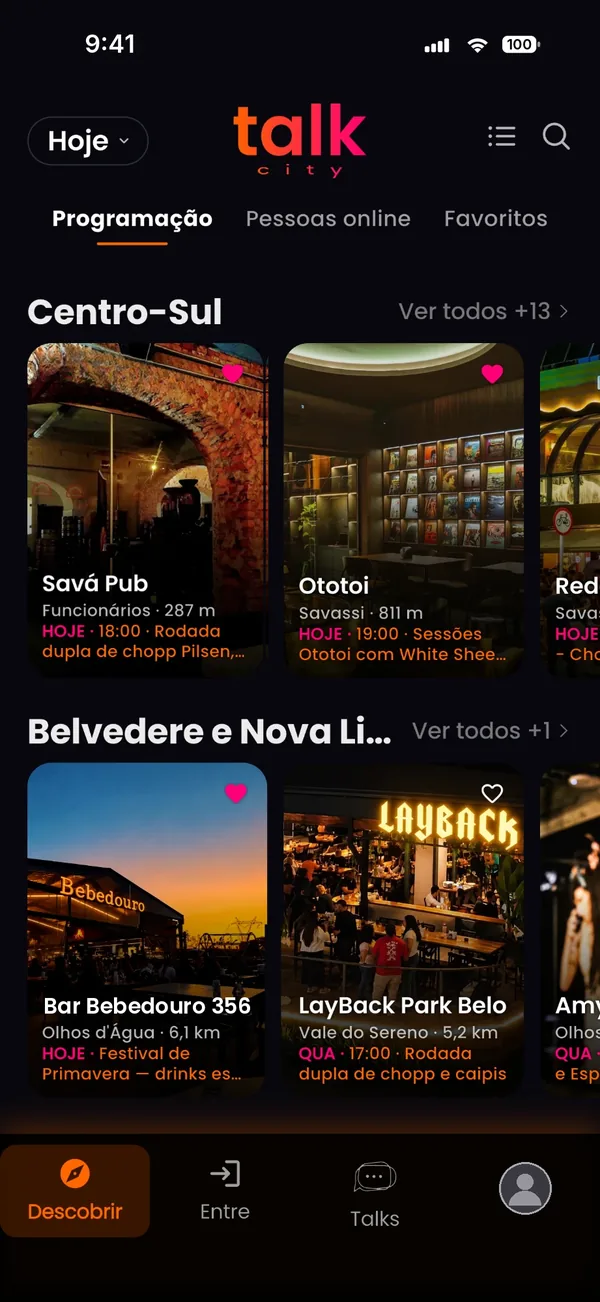
TalkCity brings together the schedules of Belo Horizonte's bars, shows and parties in one place, organized by day and area.
The city's agenda, the way you look for it, for today and the days ahead.
Samba, rock, sertanejo, electronic, jazz… Pick a style and see where it's playing.
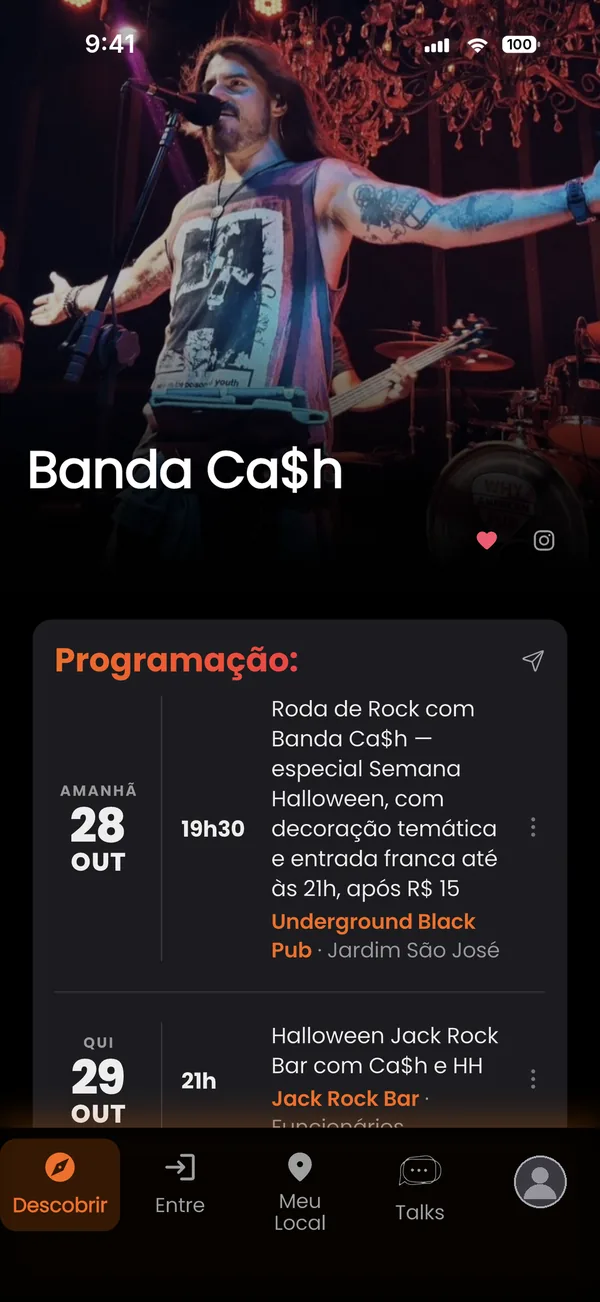
Tap a band or DJ and see where their next shows will be.
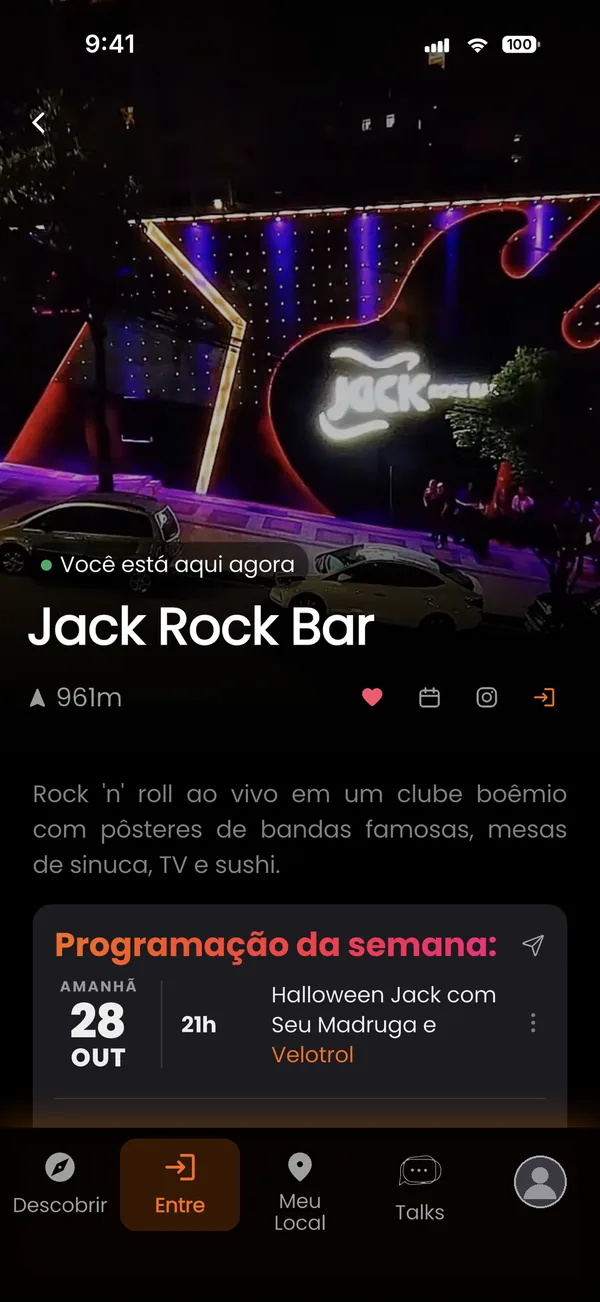
Each bar with its weekly schedule, day by day.
Centro-Sul, Leste, Pampulha… Pick an area and set it to always open there.
Today's schedule and the coming days, to plan your weekend.
Tap a style and see only the venues playing what you like.
A page for each band or DJ, with all their upcoming shows.
Parties have a page for the people behind them, with the promoter's full agenda.
Each bar and music venue with its weekly schedule, day by day.
Type the name of a bar, a party or what's playing.
The closest venues, with the distance to each one.
City picks for holidays and current themes, gathered in one place.
The venues you saved with the heart, with their schedules together in one tab.
View it as a compact list or as cards with a photo of each venue.
Open TalkCity and see today's schedule, sorted by area. Save your favorite venues and follow their agenda in the Favorites tab.
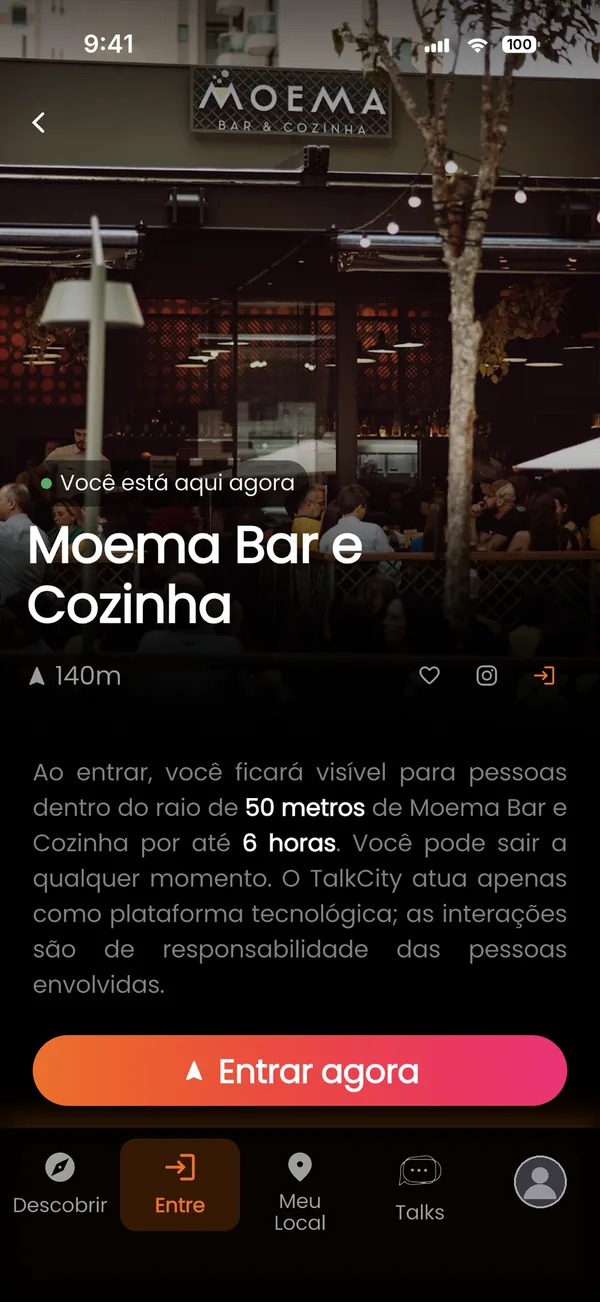
At the venue, tap Entrar agora (Enter now). The app uses your location to check that you're really there. Anyone who isn't there can't get in, and can't see who is.
While you're at the venue, you show up for the others who checked in, and you see who they are. Outside of it, nobody sees you.
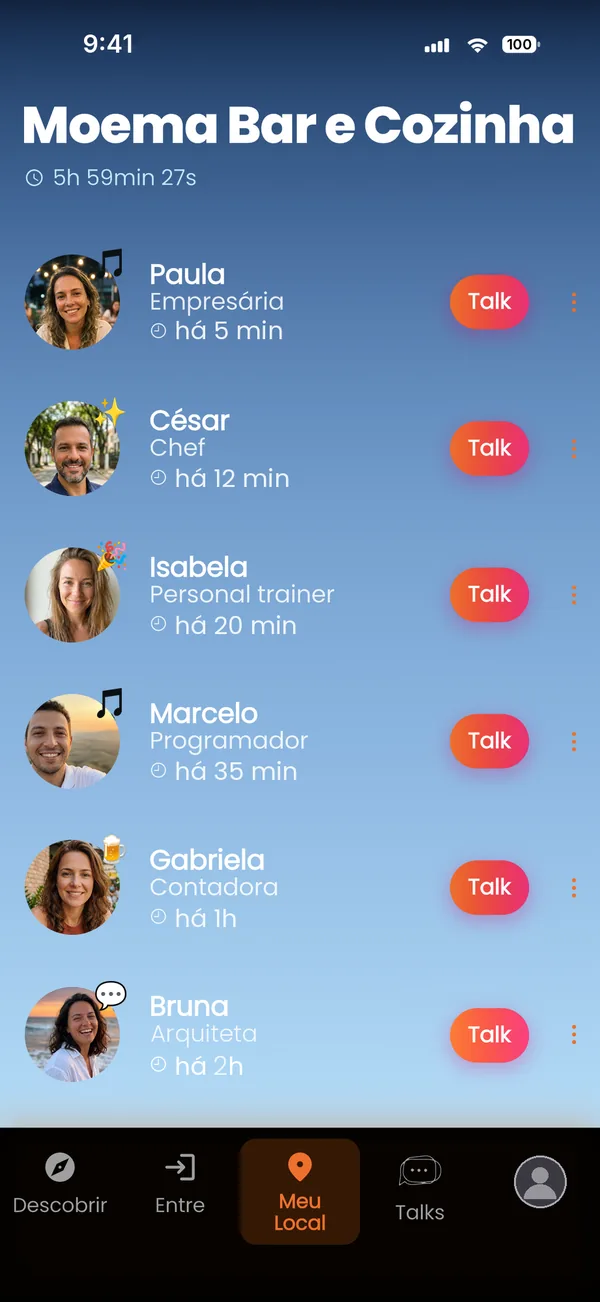
Send a Talk to someone at the same venue. If they accept, you can chat. Make your social life more social.

When you tap Entrar agora (Enter now), the app reads your phone's GPS once and checks that you're inside the venue's radius. Each venue has its own: at most bars it is between 30 and 100 meters, and larger for big spaces. The venue screen shows the radius before you check in. Nobody can check in from home.
After you check in, the app only checks your position again while it is open. If you're more than 300 meters from the venue, it knows you've left and takes you off the list.
Your location is never read in the background, and TalkCity does not keep a record of where you go.
Nobody can find you by typing your name, and there is no gallery of people to browse. The only way to show up is to check in at a venue, and only those who checked in there see you, while you are both there.
It is read to confirm you're at the venue and to list venues nearby. Never in the background, and with no history of where you've been.
And only for people at the same venue, while you're there.
When you leave, when you move away from the venue, or after 6 hours, whichever comes first.
A Talk only becomes a conversation if the other person accepts, and the same goes for the Talks you receive.
Every account confirms a mobile number by SMS, which cuts down on fake profiles. The number is never shown to anyone.
At any time, from the person's profile or the chat. TalkCity is for adults 18 and over only.
Nothing found. Write to suporte@orbitverse.io and we'll get back to you.
On the Descobrir (Discover) screen, the day's schedule is shown by area. Tap a music style to see only venues with that style, or an artist's name to see where they'll play.
On TalkCity you'll find events of every style, for every taste. Saving your favorite venues is what makes the app yours and shows you first what you can't miss: favorites appear ahead of the others in the lists.
On the Free plan you can save up to 5 venues. On Intermediate and Premium, as many as you like.
So your friends know your plans: which bar, show or party you're going to. That makes it easy to meet up there.
How to mark it: in a venue's schedule, tap the three dots next to the event and choose Mostrar que vou.
How your friends see it: in the Talks tab, your photo gets a colored ring, like a story. Anyone who taps your photo can choose Ver próximos eventos (See upcoming events) and see which event, where and when. The same option is on your profile and in your chat.
Who sees it: only your connections. Nobody else finds out.
Yes, in two ways:
• The whole schedule: on the venue's page, tap the paper plane next to the schedule title. It goes as an image you can send through any app.
• A single event: tap the three dots next to it and choose Enviar para um amigo (Send to a friend) to send it to a connection in TalkCity, or Compartilhar (Share) to send it as an image through another app.
Write to suporte@orbitverse.io with the venue's name. We'll review it and add it.
For now, only in Belo Horizonte, Brazil.
Open the venue's page and tap Entrar agora (Enter now). The app uses your location to confirm you're there.
Because each venue's list only makes sense with people who are really there. When you tap Entrar agora, the app uses GPS to check that you're inside the venue's radius. Each venue has its own, between 30 and 100 meters at most bars, and the venue screen shows it before you check in.
Nobody can check in from home or appear at a venue they're not at.
The most common reasons:
• you're still too far from the venue: get closer and try again;
• location is set to approximate: TalkCity needs your precise location. On iPhone, go to Settings → TalkCity → Location and turn on Precise Location. On Android, go to Settings → Apps → TalkCity → Permissions → Location and turn on Use precise location;
• on the Free plan, you have already checked in somewhere today. Unlimited check-ins come with Premium.
Until you leave, until the app notices you've moved away, or for 6 hours at most. When that happens, you get a notice and stop appearing on the list.
If you're still at the venue, just tap Entrar agora (Enter now) again. Going back to the same venue on the same day doesn't count as a new check-in on your plan.
On the venue screen, tap Sair do local (Leave). You stop appearing for others right away.
A way to show how your night is going to people at the same venue: 😎 Curtindo (enjoying), 🍺 Tomando uma (having a drink), ✌️ Good Vibes and others, plus a colored mood dot. It's optional.
It's your introduction message to someone at the same venue. They only read your message if they accept the Talk.
If they accept, you become a connection and can chat freely.
Nobody finds out that you marked it. Only when the other person also marks "Tenho interesse" on you, you both get a notice in Talks and can start chatting.
If it isn't mutual, nothing happens and nobody is notified.
Mark someone as a favorite and get notified when they arrive at the same venue as you, or if they're already there when you arrive. They don't find out they were favorited.
Favoriting people is part of the Premium plan.
The people you already chat with, because a Talk was accepted or the interest was mutual. You can remove a connection at any time from the person's profile.
On the person's profile or in the chat, tap Bloquear (Block): they can no longer see you or talk to you. If needed, also tap Denunciar (Report). Reports are reviewed by TalkCity's administration.
People at the same venue as you, while you're there, and your connections. There is no people search: nobody can find you by typing your name.
No. Location is only read while the app is open, to confirm you're at the venue and to list venues nearby. There is no background tracking and no location history.
Yes, with Premium's visibility tools: you can check in without appearing on the list, or appear only to one gender.
But you still have to be there: nobody can check in from outside the radius, not even on Premium.
To confirm there's a real person behind every account. The number is verified by SMS and is never shown to anyone.
In the app, under Configurações → Excluir conta (Settings → Delete account). If you no longer have the app, follow the instructions on this page.
Yes. The Free plan shows today's schedule, lets you check in at one venue a day, see who else is there and send unlimited Talks.
Every new account gets 30 days of Premium to try everything.
Through the store itself: on iPhone, Settings → Apple ID → Subscriptions. On Android, Google Play → Payments & subscriptions → Subscriptions. Cancel at least 24 hours before renewal.
Everything in Premium for one day, with a single payment. It's not a subscription and doesn't renew.
24h Premium Pass: everything in Premium for one day, with a single payment. It's not a subscription and doesn't renew.
TalkCity is coming soon to the App Store and Google Play.